Using several Claude sessions to plan and build
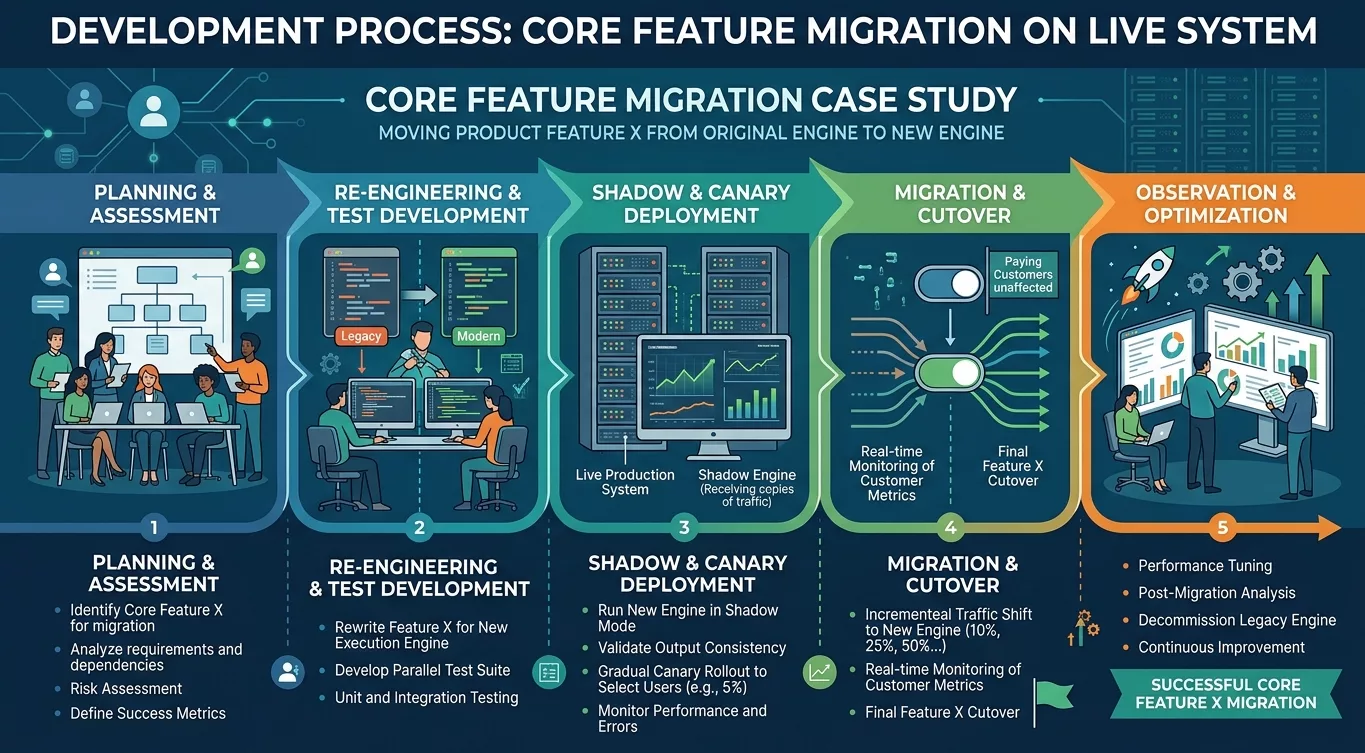
A write-up of our development process, using one real case: moving a core product feature from its original implementation onto a new execution engine, on a live system with paying customers.
By Alex Jahanban · Published · 15 min read
Using several Claude sessions to plan and build a large migration safely
A write-up of our development process, using one real case: moving a core product feature from its original implementation onto a new execution engine, on a live system with paying customers.
The problem this process is for
Some changes are too big for one conversation. Ours touched:
- the data model and the billing meters;
- the admin UI and permissions;
- background jobs and privacy/deletion paths;
- a second internal product that was already live with its own customers.
It had to ship in stages without breaking anyone, and every stage had to be possible to roll back.
If you give a change like that to a single AI session, three things go wrong:
- Context runs out. The session forgets early decisions halfway through.
- Nobody checks the work. The same session that designs something also judges it, so its blind spots never get caught.
- Decisions drift. A choice made in hour one gets quietly undone in hour five.
Our answer was to split the work across sessions with different roles, and to connect them through files in the repo instead of through memory. Each session reads its instructions from a file and writes its results to a file. we carry messages between them.
The pipeline at a glance
1. Proposals     several independent sessions, same brief  → N proposal files
2. Judge         one session, spec + codebase as context   → evaluation of each
3. Final         merge, review, fix                        → final_proposal.md
4. Build plan    turn the proposal into ordered steps      → build_plan.md
5. Step prompt   one reusable prompt that builds one step  → step_prompt.md
6. Loop          advisor session ↔ working sessions        → one commit per step
7. Deployment    group the steps into releases             → deployment_plan.md
Two documents are the backbone of the project:
instructions.md, the spec. It is the source of truth for what the system does. Code follows the spec, and if the code shows the spec is wrong, the spec is fixed first.- The build plan. It decides the order of work and records every decision.
Stage 1: Generate several proposals independently
We opened several fresh sessions and gave each the same brief:
- the goal;
- the constraints, for example "existing customers must see no change" and "every stage must be possible to roll back";
- pointers to the spec and the code.
Each session wrote its proposal to its own file.
Two rules made this useful:
- The sessions must not see each other's work. If proposal B is written after reading proposal A, you get A with small edits. Independent sessions produce real alternatives. They make different trade-offs, notice different risks, and sometimes find a whole approach the others missed.
- The brief doesn't hint at a solution. we described the problem and the constraints, not the design we had in mind. If you already know the answer you want, this stage is wasted.
Stage 2: A judge session evaluates the proposals
A separate session got:
- all the proposals;
- the spec and the codebase as context;
- instructions to check every claim against the code.
That last point matters most. Proposals are confident. They say things like "this table is only read in one place" or "this endpoint is already admin-only", and some of those claims are wrong. A judge that reads proposals without the code is only grading how persuasive they are.
What we asked the judge for:
- a section for each proposal, listing claims it verified, claims it found false, risks the proposal missed, and how well it fits the existing architecture;
- a comparison of the main trade-offs;
- a recommendation, which can combine parts of several proposals;
- open decisions only we can make.
Stage 3: The final proposal, then review and fix
The judge's output became a final proposal, which then went through review and fix rounds. Each round re-read it fresh, looking for contradictions, gaps and wrong claims about the code.
Format of the final proposal (short, about 170 lines in our case):
# <Feature>: final proposal

## Bottom line
What we're doing, in a few sentences, and why.

## 1. What's wrong today (checked in code)
Concrete problems, each with a file/line reference.

## 2. What the target system already offers
What we can reuse, so we don't rebuild it.

## 3. Design
The core abstraction, the pieces around it, how the new path works,
and what stays where it is for version 1.

## 4. Effect on existing users
What changes for them, and what is guaranteed not to.

## 5. Blockers and open decisions
What must be true before we start; what only the owner can decide.

## 6. Order of work
A rough sequence. The build plan makes it precise.
The proposal says what to build and why. It isn't a task list. That's the build plan's job.
Stage 4: The build plan
The build plan turns the proposal into numbered steps that can each be built on their own. It's the most important document in the process. Ours grew to about 1,700 lines, because every decision and finding from every step gets written back into it.
Overall format:
# <Feature>: build plan
(header: the commit it was written against)

## The end state             what "finished" looks like
## Decisions already made    settled; sessions must not re-open them
## How the debt is removed safely
   expand → switch → contract; backups before data migrations;
   delete last; the previous release must keep working
## How each step is done     points to the step prompt
### Definition of done (every step)

## Steps
### Step 0: Facts from production (no code)
### Step 1: Spec rule rewrite (spec only)
### Step 2 … Step N

## Order and dependencies    graph and release rules
## Risks                     table: risk | step that handles it | mitigation
## Status                    table: step | summary | Done (hash) / Not started / …
Format of each step:
### Step 7: <title>

**Goal:** one sentence.
**Preconditions:** which steps must be Done; which production facts must hold.

- What gets built, as bullets.

**Spec change types:** which parts of the spec this step must update.
**Tests:** the specific tests that prove it.
**Done when:** a clear finish line.
**Open questions:** what the working session must ask before building.

<!-- added by the working session as the step runs: -->
**Checked at <commit>:** what the session verified, including where the plan was wrong.
**Decisions:** numbered answers from the Questions round, with conditions.
**Built differently from the plan:** and why.
**Carry-overs:** items passed to named later steps.
**Rollout tasks:** checkboxes for things only a human can do in production.
What we learned about build plans:
- Step 0 is facts, not code. Before designing anything, we had a session write read-only SQL queries. we ran them against production and pasted the results back. Many later decisions depended on these facts. For example: was a legacy mode still in use? What was the largest value ever stored in a given field? How long do turns take at p95? Facts beat guesses.
- Steps that preserve behaviour come first. The early steps changed structure without changing anything users could see, and recorded tests proved it: we captured real interactions before the refactor and required them to stay byte-identical afterwards.
- Expand, then contract. You add the new structure, switch over to it, and only remove the old one a release later. The plan has explicit "contract" steps that are blocked until a release has shipped.
- Carry-overs are named, not vague. "Deal with it later" isn't allowed. Every item that gets pushed out names the step that will handle it, and that step's session must address it.
- The Status table is the one place to look. A step is Done (hash), Built (rollout pending), Skipped (reason) or Not started. "Built (rollout pending)" turned out to be important: the code is finished, but the step isn't Done until I've done something in production.
Stage 5: One reusable step prompt
Instead of writing a new prompt for every step, we wrote one prompt file that builds any step. A working session is started with:
Read step_prompt.md and follow it exactly. Step: 7.

Extras:
- <instructions for this step only>

This step changes code. After the Questions round, stop and wait for our
explicit "go". Answers to your questions are not a go.
The phases of the step prompt:
| Phase | What happens |
|---|---|
| Before anything | Read the plan, proposal, CLAUDE.md and definition of done in full. Check the preconditions. Ask the human to confirm anything outside the repo, such as production facts or a release having shipped. |
| 1. Questions | Ask until scope is agreed: every open question in the plan, plus anything in the code that the plan gets wrong. Recommendation first. Write the answers into Decisions, summarise, wait. |
| 2. Spec | Write the step into the spec, following the duplicate-locations rules. Add checklist entries that can each be falsified. No code. |
| 3–10. Four review rounds | Each round re-reads the spec fresh, as a skeptic, looking for design flaws, billing errors, deletion and privacy gaps, unbounded growth, contradictions, missed duplicates, untestable items and scope creep. Then fix. |
| 11. Build | Code follows the spec. Every checklist entry gets a test. |
| 12. Audit | Compare the diff with the spec line by line: everything in the spec is built, and everything built is in the spec. |
| 13. Full testing | The whole backend suite, then the frontend (never at the same time), plus a browser check for any UI change. |
| 14. Spec touch-up | Fold in whatever the build taught. |
| 15. Commit | Explicit paths only, never git add -A. Update the Status row and record carry-overs and rollout tasks. |
Choices in the prompt that paid off:
- "Answers to your questions are not a go." Without this line, sessions would treat our answers as permission and start coding. Having a hard stop between agreeing on scope and building was the most valuable rule in the whole process.
- "Verify, don't assume." Every file, line number and checklist number the plan cites must be re-checked, because the code moves between the time the plan is written and the time a step runs.
- "Only this step." Anything out of scope becomes a carry-over and isn't built.
- "Another session may be editing the same files." Re-read before editing, check
git statusbefore committing, never stash. - Four spec review rounds before any code. Most of the serious design problems were caught here, when fixing them only meant editing text.
Stage 6: The advisor and working sessions
This is the core of the process. There are two kinds of session:
- The working session runs the step prompt. It reads the code, asks questions, writes the spec, builds, tests and commits. It starts fresh for each step.
- The advisor session is a long-running session that we talk to. It never builds. It checks the working session's questions and reports against the code, the plan and the spec, and tells me exactly what to send back.
The loop
me → advisor:  "next step?"
advisor:       pre-session checks + the exact prompt for the working session
me → worker:   paste the prompt
worker:        reads everything, sends a Questions round
me → advisor:  paste the Questions round
advisor:       checks it against the code; gives answers with conditions
me → worker:   paste the answers
worker:        writes Decisions, commits the plan, stops
me → advisor:  paste the summary
advisor:       "go" (+ any additions)
me → worker:   "go"
worker:        spec → 4 reviews → build → audit → tests → commit; sends the report
me → advisor:  paste the report
advisor:       checks it; fixes anything the worker isn't allowed to touch;
               gives the next prompt
What a working session's report looks like
The working sessions settled into a consistent shape, which made reports quick to check:
<one line: built / Built (rollout pending) / stopped, and why>

What was built
- grouped by layer, in plain sentences

Commits: hashes, one per phase

Tests
- full suite counts, with failures explained and fixed
- recorded interactions byte-identical
- parity check against the previous commit, in a separate worktree
- browser check: which roles, console open from the first load

Findings that changed the design
- where the plan or spec was wrong, and what was done instead

Carry-overs
- each one tied to a named later step

Rollout tasks for you
- [ ] things only a human can do in production
What the advisor actually catches
The advisor's value comes from being a second reader with the code open. A few kinds of thing it caught, described generally:
- Changes that break rollback. In one step the session proposed dropping an old column in the same release that stopped using it. If that release had been rolled back, the old code would have run against a missing column. The drop was moved to a later "contract" step.
- Exploits created by the design. One step's design let a user reset their usage meter by deleting and recreating an object. A new step was put in ahead of the feature to close it.
- Billing bounds that weren't really bounds. Several times, the "worst-case cost per request" figure turned out to rest on an assumption the code didn't enforce: a setting changeable in a console, characters counted as if they were tokens, or a template that can repeat a placeholder. Each time, the fix was to enforce the bound where it actually applies instead of stating a number.
- Silent failures. Wherever a failure would be logged quietly and swallowed (a missed notification, a cleanup that didn't run), the advisor asked for it to be loud: a staff alert, a retry queue, or a refusal the user can see.
- YAGNI. When the plan said to build a feature that production facts showed had never been used, the advisor said not to build it.
- Privacy. Every new place user text is stored or shown gets checked against the existing access rules: who can see it, how long it's kept, and what happens when it's deleted.
The working sessions corrected the advisor too, and that's how it should work:
- Once, our prompt assumed some endpoints were open to org admins. The working session checked the code: they were already restricted to super admins.
- Once, we described two steps as impossible to build locally. They weren't. Only part of each (a production data operation, and a waiting period on production) had to happen after deployment. When the human pushes back on something, the advisor should re-check its claim, not defend it.
Conventions that made the loop work
- Answers in a fixed format: "1 A, 2 B (with …), 3 A". The working session puts its recommendation first. The advisor agrees, overrides with reasons, or adds conditions.
- Conditions make answers testable. we didn't send "4 A". we sent "4 A, with a test that a write landing during the inline update can't leave a stale hash". Every condition becomes a test.
- Pre-session checks. Before each new working session: close the previous one cleanly with
/exit, rungit status --short, expect it to print nothing, and push. - Production facts come in through the human. Sessions write read-only SQL wrapped in
BEGIN TRANSACTION READ ONLY; … ROLLBACK;. we run it and paste the output to both sessions. - Each document has an owner. At one point the working sessions were told not to touch the deployment plan. The advisor updated it from their reports instead, so each document had exactly one writer.
Stage 7: The deployment plan
Building and deploying are separate. Every step is built and committed locally, and then the steps are grouped into releases that go out one at a time.
Format of the deployment plan:
# Deployment plan: <branch> to production

Build and deploy are separate. <What can be built ahead; what only happens on prod.>

## Blockers to solve before the first release
Numbered, each with options and a check that shows it's done.

## Branches
How release branches are cut, the path (release → staging → prod),
cherry-picks, settings that must never be reset.

## The cycle for every release
1. Rehearse on a copy of the production database
2. Deploy to staging, browser-check every role
3. PR to prod: checklist, backup, deploy, watch
4. Soak for an agreed period
5. Wait where the next release depends on this one

## Rehearsal (local, isolated)
Setup:  dump outside the repo, encrypted disk, scrub outbound jobs
        (webhooks, queued runs, emails) before any app starts on the copy
Checks: baseline on the current prod commit → migration and boot time →
        parity → idle CPU → rollback (old code on the migrated DB;
        Down on a scratch copy) → behaviour → browser → app settings diff

## Release order
| # | Release | Contents (commits) | Notes: migrations, rules, rollback cost |

## Waits
## Before each prod deploy   (checklist, with per-release items)
## After each prod deploy    (checklist, with per-release items)
What we learned about deployment plans:
- Rehearse on a copy of production, not a seeded test database. Real data shows you migration time, boot time against the platform's startup limit, and rows that break your assumptions.
- Scrub the copy before anything runs on it. A restored copy of production still has a queue of pending webhooks to real customer endpoints, and background jobs waiting to run. A scrub script that runs on every restore prevents an expensive mistake.
- Know what rollback actually means. Redeploying old code doesn't run
Downmigrations, so the old code runs against the new schema. Test exactly that. - Release rules belong in the build plan too. For example: "step X ships only together with step Y", "step Z ships in a later release than step X", and "after release F, rolling back means restoring a backup".
- Every rollout task from every step ends up in the deployment plan, attached to the release that carries it.
What went wrong, and what I'd do differently
- Killed sessions overwrote files. Three times, after we killed a working session with Ctrl+C, the build plan reverted to an older version on disk. Use
/exit, and checkgit statusbefore starting the next session. - Pasted text got cut off. Long messages sometimes lost their endings on the way between sessions. Sessions usually worked out the missing part, but check that the last line of a pasted prompt arrived.
- The plan keeps being wrong in small ways. That's expected: it was written against an older commit. "Verify, don't assume" plus a "Checked at <commit>" section in every step turned this from a hazard into routine.
- Building far ahead of deployment costs something. Each release branch is cut from an older commit, so a bug found in production has to be fixed on that release line and carried forward through every later step. It's still worth doing, but expect it, and start the deployment groundwork (blockers, rehearsal setup) while the later steps are still being built.
- The advisor needs to be corrected sometimes. It's a second opinion, not the final word. When the human says "I don't understand why X can't be done", the right move is to re-check, not to repeat the claim louder.
When to use this process (and when not to)
Use it when:
- the change spans many subsystems and many releases;
- there are live users whose experience must not change;
- billing, privacy or deletion are involved;
- you can't hold the whole design in your head, so a session can't either.
Don't use it for:
- a feature you can build and review in an afternoon;
- exploratory prototypes, where the overhead of plans and reviews costs more than throwing the code away.
The overhead is real: every step goes through a Questions round, four spec reviews, an audit, full test runs and an advisor check. In return, at the end of each step, we knew what had been built, why, what had been checked, what had been deferred and to which step, and what we still had to do in production. Every one of those answers was written down in a file we could hand to the next session.
Written by Alex Jahanban
Founder & CEO